

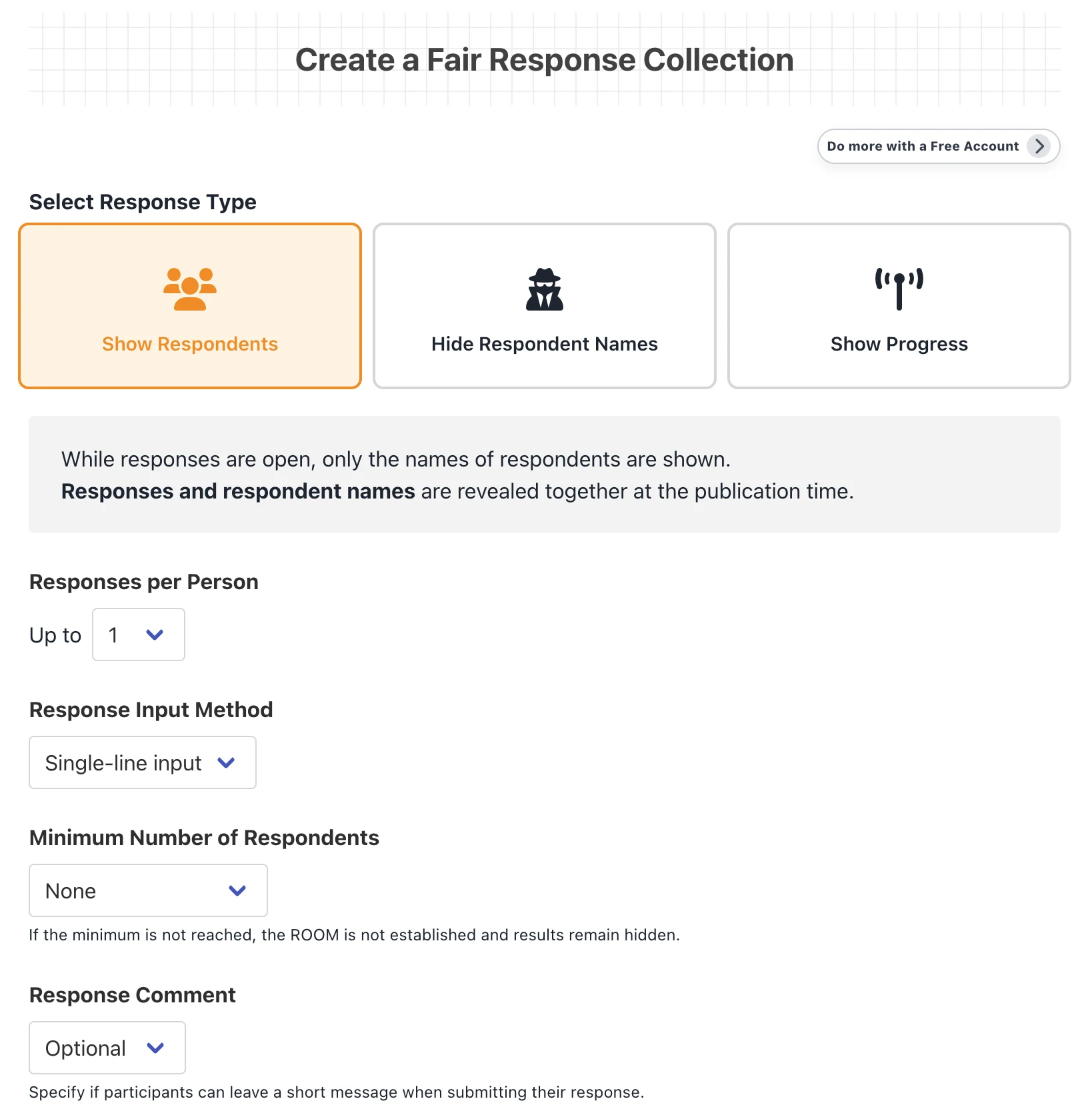
Response Type
Choose how and when responses and respondent names are published.
Show Respondents
Responses and respondent names are published together at the scheduled time.
Hide Respondent Names
Only response content is published. Respondent names remain hidden.
Show Progress
Responses and names appear immediately, and submissions close at the deadline.
Setting Options and Rules
Responses per Person: Set the maximum number of responses from 1 to 10.
Response Input Method: Choose a single-line field for short answers or a resizable multi-line field for detailed answers.
Minimum Respondent Count: If the minimum is not reached, scheduled results remain hidden. This option is unavailable for Show Progress.
Response Comments: Make comments optional, required, or disabled.
Creating a ROOM
Title & Description: Clearly state the question or request participants should respond to.
Publication Time: Set a future date and time. Responses close and are published automatically at that time.
Visibility Settings: Use an unlisted URL, or configure advanced security settings for a specific group.
Share: Send the ROOM URL or QR code to participants before responses begin.
Business Member Exclusive Features
- IP Restriction: Allow access only from specified IP addresses.
- View Password: Require a password before opening the ROOM.
- Email Notification: Send alerts before or when responses are published.
- CSV Download: Download published response data. Comments are not included.
Fairness Points
- Even the Creator Cannot Preview Responses: Except in Show Progress rooms, response content remains hidden from everyone—including the ROOM creator—until publication time.
- Shared Visibility Rules: The creator follows the same visibility rules as participants. No fairness-related information is made available exclusively to the organizer.
- Anonymous Display Order: When names are hidden, responses and anonymous comments are sorted alphabetically so submission order does not reveal who wrote them.
- Restrictions on Changes: The creator cannot alter participant responses or core response rules after the ROOM is created.
Detail Screen Features
Now Accepting Responses
- Copy: Copy the URL, title, and publication time together.
- Respond: Enter a name, responses, and a comment when enabled.
- Change Response: Edit or delete your own submission from the same device before the deadline.
- Countdown: See the remaining time until publication or closing.
Response Results and Data
- Response Results: Published responses are displayed in a simple table.
- Respondent Privacy: Names are shown or hidden according to the selected response type.
- CSV Download (Business Member): Save response data for reporting after publication.
Management Features
Admin Password and Management
Guests manage a ROOM with the Admin Password set during creation. Members can manage their ROOMs simply by logging in.
Edit / Delete ROOM: Edit the title, description, visibility, and title color before publication, or delete the ROOM.
Duplicate ROOM (Business Member): Create a new ROOM using the same response settings.
Archive Settings (Business Member): Restrict general access while retaining published results.